MCP Services / MCP Functions
Added in version 7.5.0
MCP Functions is a DataFlux Func feature that supports AI Agents calling functions in Func.
Users can expose some functions in DataFlux Func to AI Agents through MCP Services.
1. Integration Steps
Follow the steps below to connect an MCP client / AI Agent to DataFlux Func's MCP Services.
1.1 Create an Access Token
To access DataFlux Func's MCP Services, you need to create an Access Token and enable the MCP Functions feature.
You can also specify which functions to expose in the rules (e.g., by the value of the category field).
1.2 Permission Rules
Permission rules can be edited manually. They are matched from top to bottom, and the first matching rule determines the permission.
Examples:
| Rule (Exact ID Match) | Allowed Calls |
|---|---|
category:math |
Functions whose category is math |
scriptSet:mytest |
Functions belonging to Script Set mytest |
script:mytest__demo |
Functions belonging to Script mytest__demo |
func:mytest__demo.func |
Function whose ID is mytest__demo.func |
| Rule (Wildcard ID) | Allowed Calls |
|---|---|
scriptSet:myte* |
Functions matching Script Set ID wildcard myte* |
script:mytest__de* |
Functions matching Script ID wildcard mytest__de* |
func:mytest__demo.fu* |
Functions matching Function ID wildcard mytest__demo.fu* |
| Rule (Deny) | Denied Calls |
|---|---|
!category:math |
Functions whose category is math |
1.3 Configure the MCP Client
DataFlux Func's MCP Services follow the MCP specification
Before actual integration, it is recommended to use MCP Inspector for debugging.
Add the following configuration in the MCP client / AI Agent:
| Configuration Item | Value |
|---|---|
| URL Address | {DataFlux Func access address}/mcpor /mcp2, /mcp3For specific differences, see MCP Service Mode below. |
| Request Header | X-Dff-Access-Token: atk-xxxxx:xxxxx |
| Example: OpenCode Configuration | |
|---|---|
1 2 3 4 5 6 7 8 9 10 11 12 | |
| Example: Codex Configuration | |
|---|---|
1 2 3 4 | |
| Example: Claude Code Configuration | |
|---|---|
1 2 3 4 5 6 7 8 9 10 11 | |
| Example: Generic JSON Configuration | |
|---|---|
1 2 3 4 5 6 7 8 9 10 | |
Restart the AI Agent after modifying the configuration
Many AI Agents only load MCP Services configuration at startup. After modifying the MCP Services configuration, if the new configuration does not take effect, restart the AI Agent. For example, when using AI Agent plugins such as Codex in VS Code, you can press Ctrl + P and enter >Reload Window to reload the window.
2. MCP Services Mode
DataFlux Func's MCP Services support 3 modes depending on the access path:
| Path | Mode |
|---|---|
/mcp |
Basic Mode |
/mcp2 |
List-Call Mode |
/mcp3 |
Search-Call Mode (Recommended) |
Assume the Access Token configuration is as follows, and the codebase contains the following functions:
| Deny category:test, allow category:math | |
|---|---|
1 2 | |
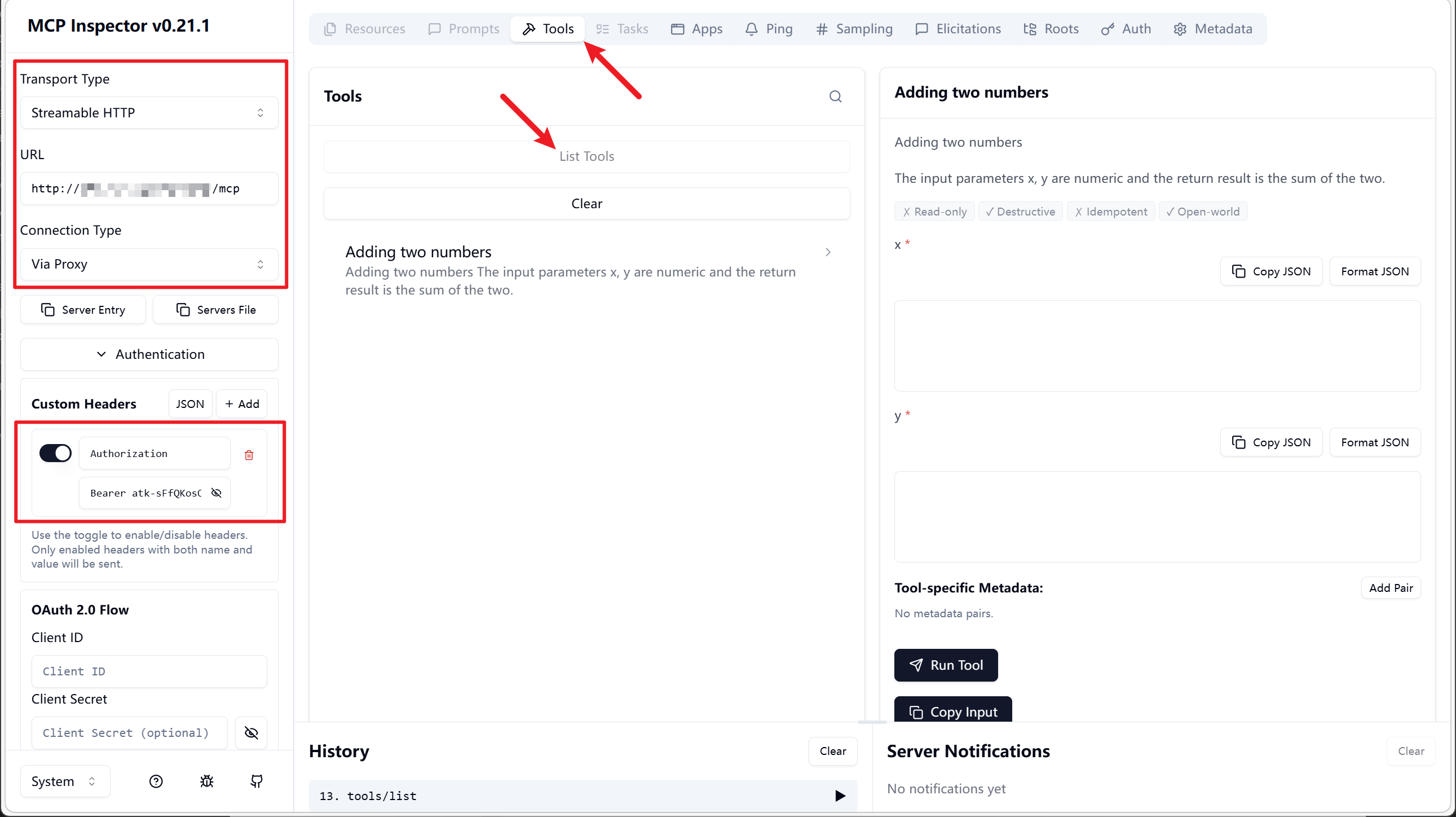
2.1 /mcp Basic Mode
Directly lists all available functions as Tools
Note: When the function list changes, the client needs to reconnect to update the list.
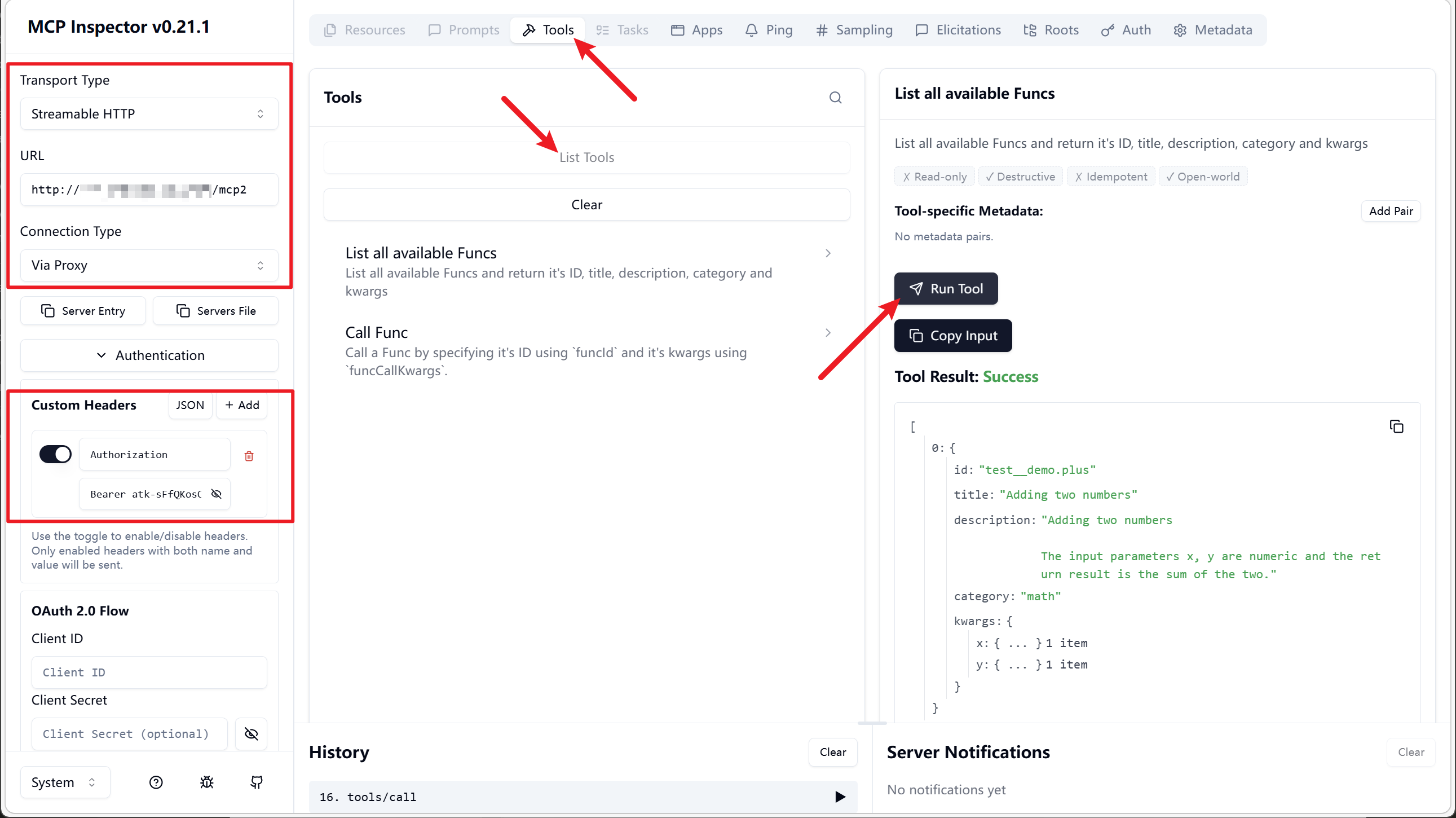
2.2 /mcp2 List-Call Mode
Provides only two Tools:
list-func: List functionscall-func: Call functions
This enables a dynamic function list, requiring the AI Agent/model to correctly follow the List-Call method for invocation.
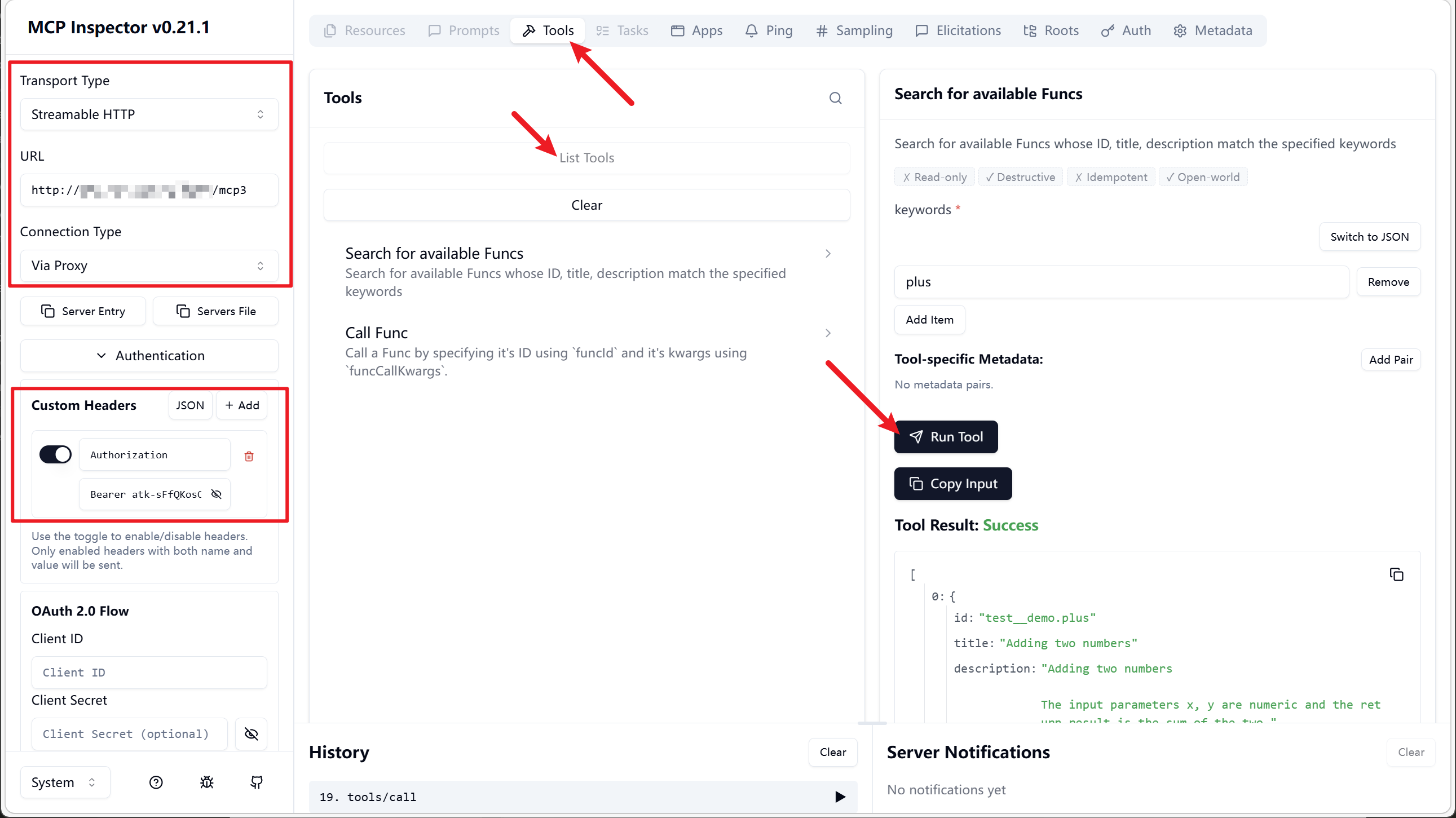
2.3 /mcp3 Search-Call Mode
Provides only two Tools:
search-func: Search functionscall-func: Call functions
This enables searching for the required functions by keyword, requiring the AI Agent/model to correctly follow the Search-Call method for invocation.
When there are many functions, this can significantly reduce context length.