MCP Service / Access Functions
Added in version 7.5.0
The MCP service is a feature of DataFlux Func designed to support AI Agent tool invocation.
Users can provide a subset of functions from DataFlux Func to AI Agents via the MCP service.
1. Access Steps
Follow the steps below to connect an MCP client / AI Agent to DataFlux Func's MCP service.
1.1 Create Access Token
Accessing DataFlux Func's MCP service requires creating an Access Token with the "MCP Functions" feature enabled.
Rules can be specified to define which functions are exposed (e.g., by the category field value).
1.2 Permission Rules
Permission rules can be manually edited. They are matched sequentially from top to bottom, with the first matching rule determining the permissions.
Example:
| Rule (Exact ID Match) | Target | Match ID | Permissions |
|---|---|---|---|
scriptSet:mytest:r |
Script Set | mytest |
Read |
scriptSet:mytest:rw |
Script Set | mytest |
Read, Write |
scriptSet:mytest:rwx |
Script Set | mytest |
Read, Write, Execute |
scriptSet:mytest:rwxp |
Script Set | mytest |
Read, Write, Execute, Publish |
script:mytest__demo:r |
Script | mytest__demo |
Read |
| Rule (Wildcard ID) | Target | Match ID | Permissions |
|---|---|---|---|
scriptSet:my*:r |
Script Set | Wildcard my* |
Read |
script:mytest__de*:r |
Script | Wildcard mytest__de* |
Read |
1.3 Configure MCP Client
DataFlux Func's MCP service adheres to the MCP specification.
It is recommended to use MCP Inspector for debugging before actual integration.
Add the following configuration to your MCP client / AI Agent:
| Configuration Item | Value |
|---|---|
| URL | {DataFlux Func access URL}/mcpor /mcp2, /mcp3See "MCP Service Modes" below for differences. |
| Headers | Authorization: Bearer atk-xxxxx:xxxxx |
| Example: OpenCode Configuration | |
|---|---|
1 2 3 4 5 6 7 8 9 10 11 12 | |
2. MCP Service Modes
DataFlux Func's MCP service supports three modes based on the access path:
| Path | Mode |
|---|---|
/mcp |
Basic Mode |
/mcp2 |
List-Call Mode |
/mcp3 |
Search-Call Mode (Recommended) |
Assuming the Access Token is configured as follows, and the code repository contains the following functions:
| Deny category:test, Allow category:math | |
|---|---|
1 2 | |
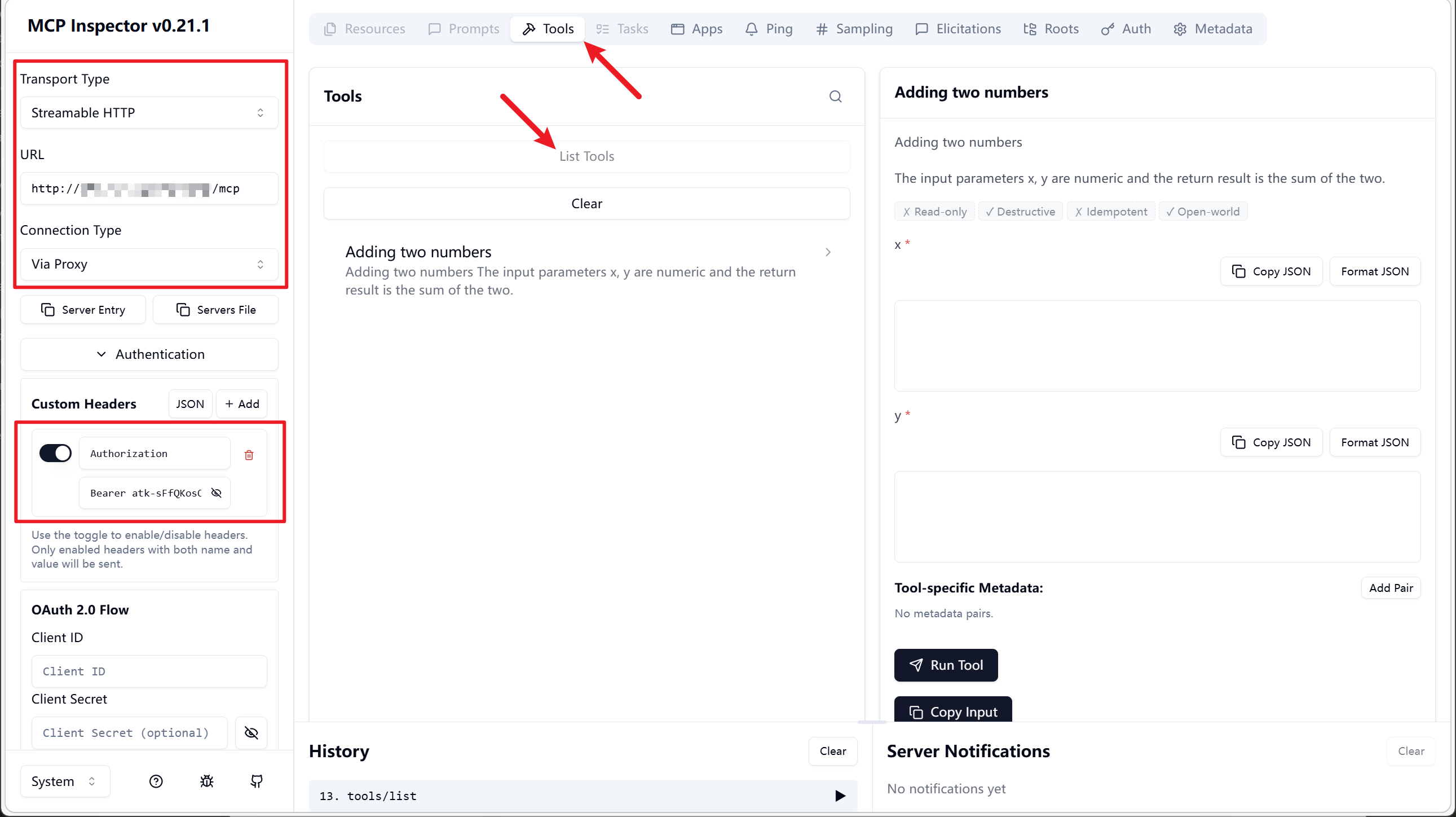
2.1 /mcp Basic Mode
Lists all available functions directly as Tools.
Note: When the function list changes, the client needs to reconnect to update the list.
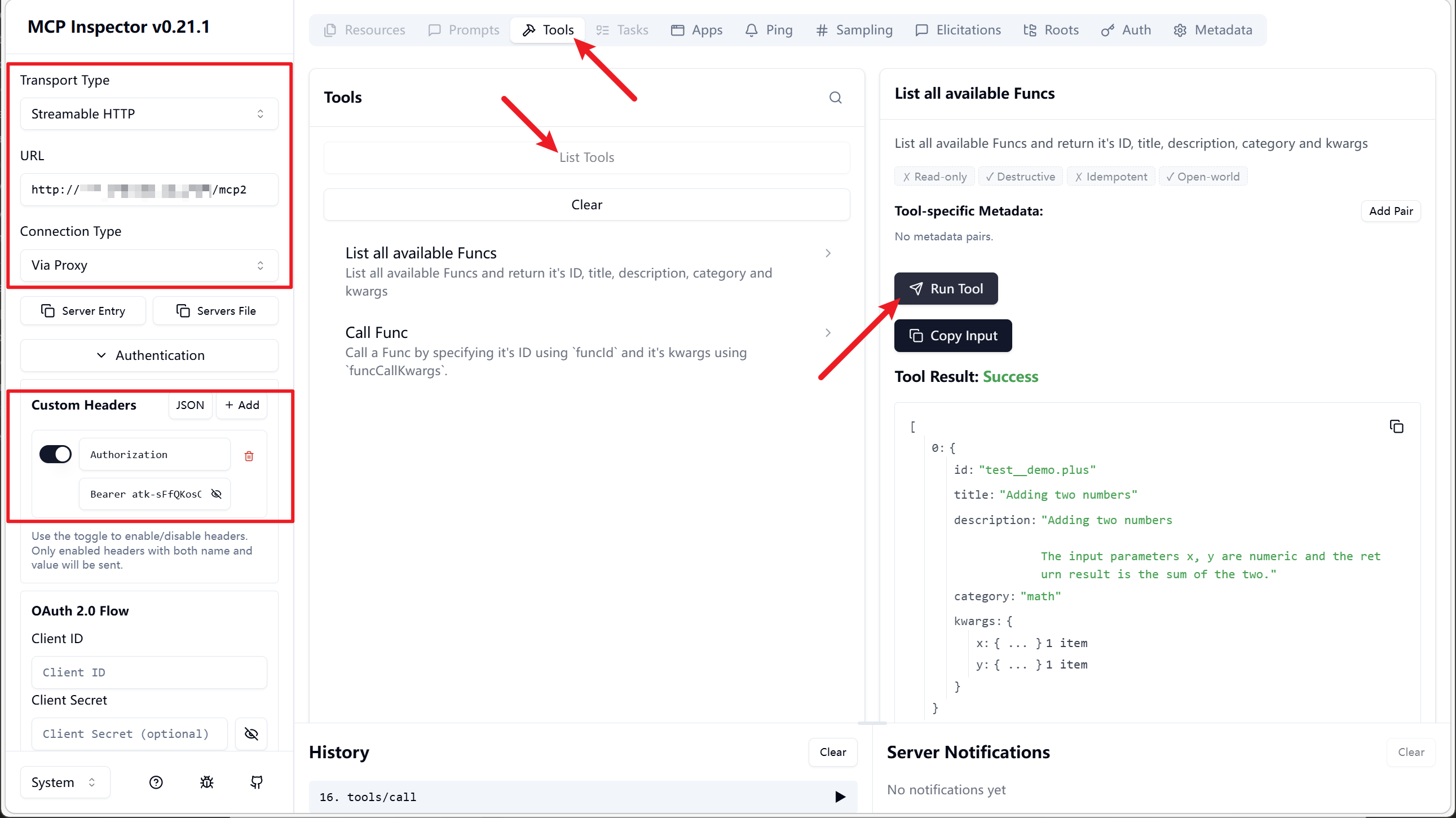
2.2 /mcp2 List-Call Mode
Provides only two Tools:
list-func: Lists functions.call-func: Calls a function.
Enables dynamic function listing. Requires the AI Agent / model to correctly follow the List-Call invocation method.
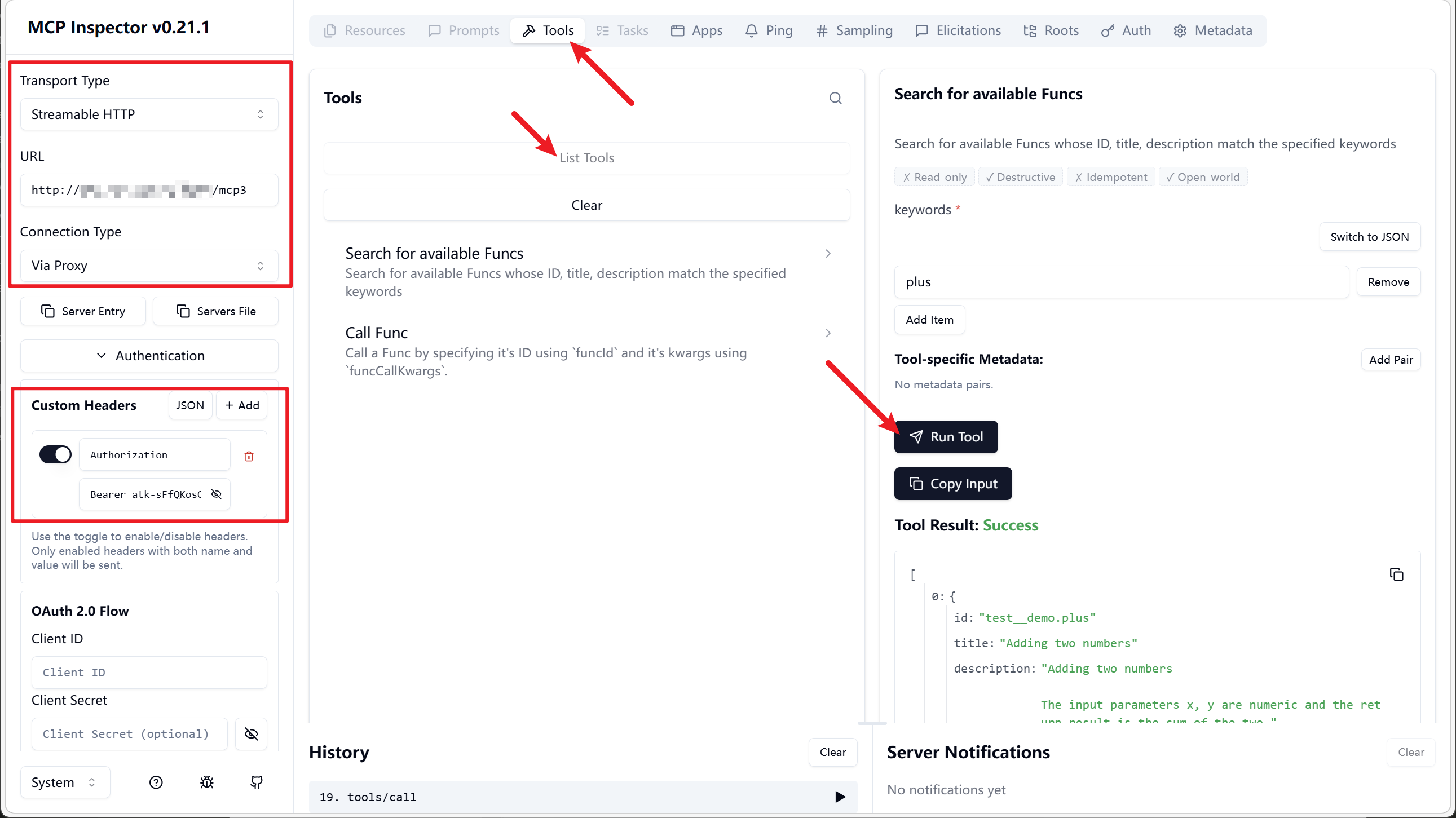
2.3 /mcp3 Search-Call Mode
Provides only two Tools:
search-func: Searches for functions.call-func: Calls a function.
Enables querying for required functions based on keywords. Requires the AI Agent / model to correctly follow the Search-Call invocation method.
Significantly reduces context length when there are many functions.